MovieVault
A streaming guide built around a shelf of DVD cases. Underneath it is a spring written by hand, a set of rules for seasons hundreds of episodes long, and a lot of care about what TMDB is doing right now.
- Made
- 2024, rebuilt in 2026
- Stack
- React 19, React Router 8, Tailwind CSS 4, TMDB
The first  MovieVault was a watchlist with a search box, from 2024. The rebuild starts from the question it never answered, where can I watch this tonight, and grew from there into series, anime, people and whole franchises. It also dropped every animation and data fetching library on the way. The dependencies are React, React Router, Tailwind and an icon set.
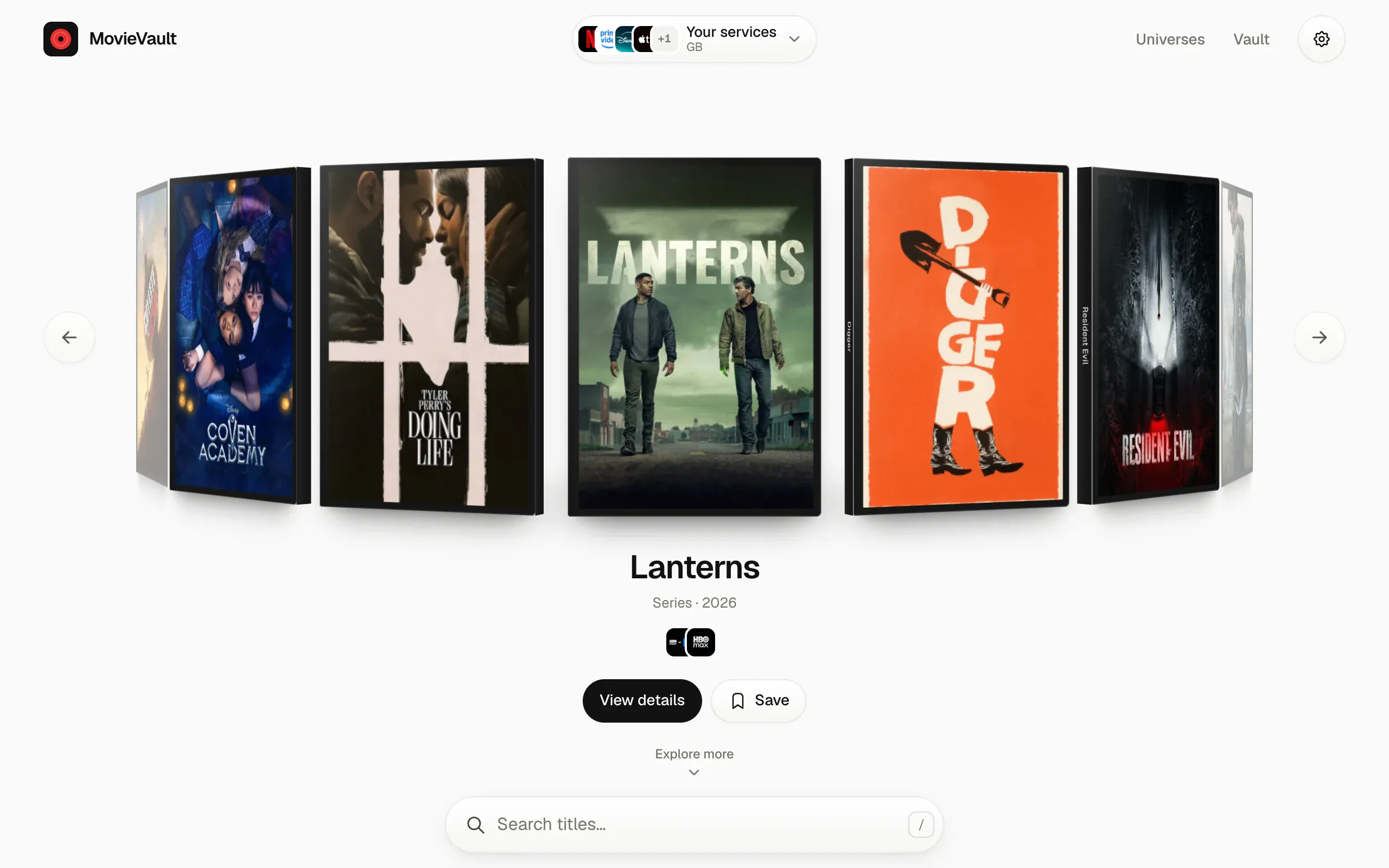
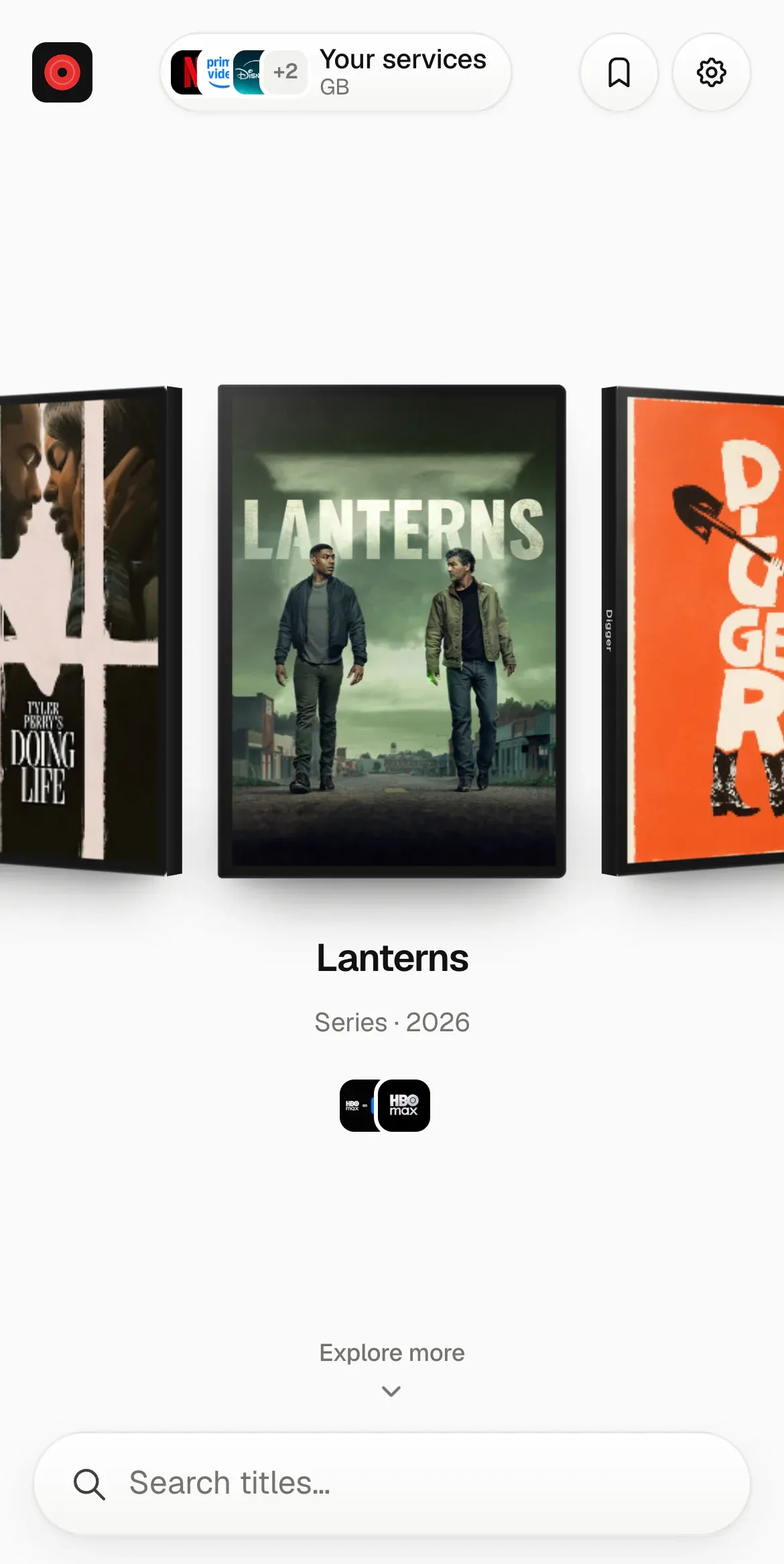
On a phone it’s laid out for a thumb. The ring shows one case at a time and the search lives in a dock at the bottom of the screen, while an iPad and a desktop get the full ring.
A ring on a spring
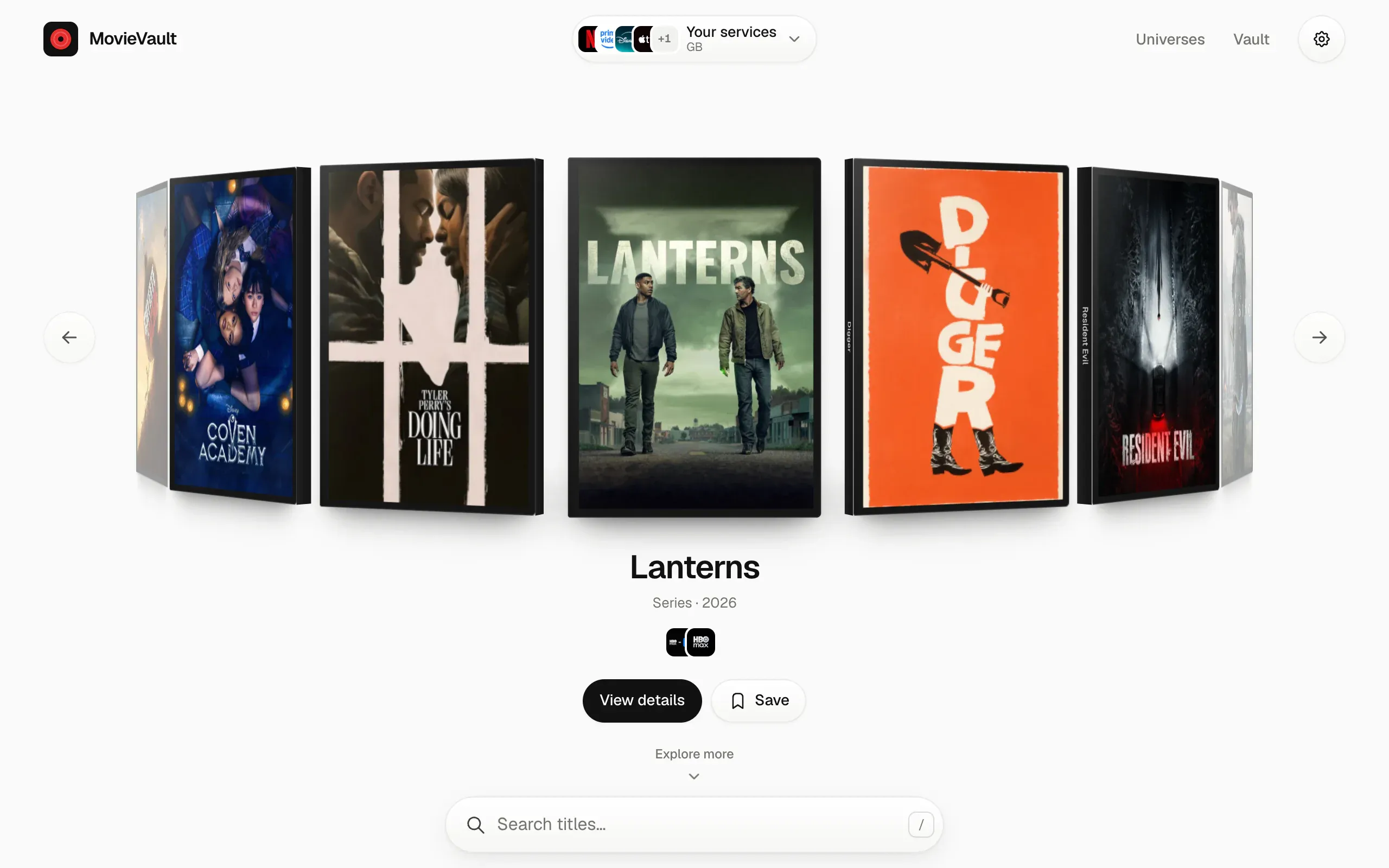
The home page is a ring of sixteen DVD cases. There’s no animation library behind it. Each case gets a rotateY and a translateZ every frame from one number, the ring’s position, and that number moves on a critically damped spring written out in closed form:
const decay = Math.exp(-w * dt);
const c = v0 + w * x0;
pos.current = target.current + (x0 + c * dt) * decay;
vel.current = (v0 - w * c * dt) * decay;
x0 is how far the ring is from where it’s going and v0 is how fast it’s moving. Critically damped means it gets there as fast as it can without going past, so a case never overshoots and wobbles back. Because the formula is exact, a long frame doesn’t make it jump or blow up. When it’s close enough and slow enough, it snaps to the target and the frame loop stops.
A drag moves the ring directly. On release, the speed comes from the pointer samples in the last 90 ms, capped at twelve cases a second, and the ring aims for wherever that speed would carry it in a fifth of a second, rounded to a whole case and never more than five away from where you started. Then the same spring takes it there with that speed already in hand, so there’s no seam between your flick and the glide.
Clicks, arrow keys and the wheel use a stiff spring (ω = 15). Left alone, the ring turns one case every 5.2 seconds on a softer one (ω = 6.5), and waits while you hover, drag, focus it from the keyboard, scroll it away or switch tabs. Each ring remembers its position, so coming back to the page puts it where you left it. Tap the middle case and it flies into its page and opens.
Seasons too long to read
TMDB files most anime as a few enormous seasons. Bleach is two: 366 episodes, then the 50 of Thousand-Year Blood War. A ratings graph with one row of 366 squares is unreadable, so any season longer than 30 episodes gets split.
The first choice is one of TMDB’s episode groups, which fans make to reorder a show by arcs, broadcast seasons or a streaming service’s numbering. Bleach has thirteen. A group is only used if it passes every check:
- it covers exactly the regular episodes, every one of them once, in order, with no specials;
- it has more parts than TMDB has seasons;
- no part is longer than 60 episodes.
The groups that pass are ranked by type, with Latin script names ahead of the rest, and the top two are tried. Here is how Bleach’s go, against its 416 regular episodes in two seasons:
| Group | Episodes | Parts | Result |
|---|---|---|---|
| Season Split | 416 | 20 | Used |
| Absolute (No Specials) | 416 | 2 | No more parts than seasons |
| Arcs | 420 | 21 | Includes specials |
| TVDB Order | 420 | 18 | Includes specials |
| Story Arc | 366 | 25 | Leaves out Thousand-Year Blood War |
| Crunchyroll Season Split | 392 | 16 | Misses 24 episodes |
The other seven are partial orders, like Netflix’s 131 episodes or the six Blu-ray boxes, and fail on the count straight away. So Bleach’s graph has 20 rows: sixteen for the old 366 episode season and four for Thousand-Year Blood War. Episodes with fewer than 3 votes are drawn hollow and left out of the averages.
When no group passes, the season is cut wherever more than 56 days went by between two episodes airing, which is usually a broadcast break. Anything still longer than 60 is cut into runs of 25. Those parts are called “Season 1 · Part 2” rather than pretending to be arcs.
Anime that restart their numbering each season also get a running number, worked out by adding up the seasons before, so season 2 episode 1 can read as #26. To draw the graph without the fan groups, every season has to be fetched. TMDB lets one request append up to 20 sub resources, so the seasons come in batches of 20, and each season goes straight into the cache for when you open it.
Knowing when TMDB is down
MovieVault doesn’t ping TMDB to check on it. It watches the requests the app is already making. A failed request is retried after 400 ms, then 1 s, plus a little jitter, three attempts in all. Once TMDB is known to be down, a request tries once and stops, so a broken API doesn’t get hammered.
A failure within 10 seconds of a success doesn’t count as down. A 401 means the key is wrong, which is a different message from TMDB being unreachable. A small status pill appears only in those cases, or when the browser says it’s offline. When requests start working again, every query that failed is fetched again on its own.
Pages that come back painted
Going back to a page should look like you never left. Query results are kept in session storage for 10 minutes, so a back navigation renders from cache before any request goes out. Results stay on screen while new ones load instead of flashing back to skeletons.
Images were the other half. Posters on a page you came back to waited on the browser’s disk cache and blinked in. So the last 240 images shown are held in memory as decoded Image objects, and an image that’s already there renders without a fade. A new image that arrives within 150 ms of mounting also skips the fade, so fast loads never flicker.
The key stays on the server
The app asks for /tmdb/... on its own domain. A Vercel function adds the key and forwards the request, but only for routes and parameters on an allowlist, each value checked against a pattern, so the endpoint can’t be used as a free TMDB proxy. Answers are cached at the edge for as long as that kind of data stays true:
- provider regions and genre lists: a day
- a title’s details: an hour
- where it’s streaming: 30 minutes
- trending and discovery: 5 minutes
- search: a minute
Each also has a stale-while-revalidate window, so a slightly old answer is served at once while a fresh one is fetched. Failures are never cached.
Rough edges
- Mostly one bundle. About 145 KB gzipped. Only the ratings graph and the episode sheet are split out.
- No server rendering, so the page is empty until React mounts.
- Universes are hand picked. The eighteen franchises are a list in the code, not something TMDB exposes.